Overview
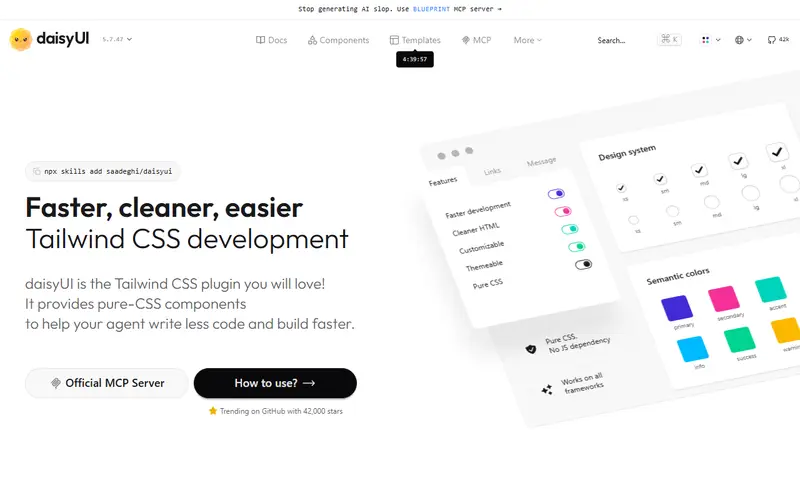
daisyUI adds a layer of semantic component classes to Tailwind CSS. Instead of repeating a dozen utility classes for every card or button, you write card, btn, toggle or modal, then adjust with normal Tailwind utilities where you need to. Its docs describe this as utility-first, not utility-only.
Because daisyUI is only CSS, it has no framework dependency. That makes it a common choice for server-rendered apps (Rails, Laravel, Django, Go templates), htmx projects and static sites as well as React, Vue and Svelte. Interactive behaviour such as dropdowns relies on native HTML and CSS (details, popover, focus) rather than JavaScript, so complex widgets like comboboxes or date pickers are outside its scope.
daisyUI 5, released in early 2025, rebuilt the plugin for Tailwind CSS 4: you add @plugin "daisyui" in your CSS, the package has zero dependencies, the npm package is 61% smaller and the full CDN file is 34 kB compressed. Several class names changed, so upgrading from v4 needs the upgrade guide. The official store sells templates and a Figma library as one-time purchases.
Pricing and plans
Free tier · no card
The daisyUI plugin and all components and themes are free and open source.
At the limit Not stated The vendor does not say what happens at the limit, or we have not found it yet.
| Plan | Price | What you get |
|---|---|---|
| daisyUI | Free | All components and themes |
| Store templates | $19-$69 | e.g. Auth template $19, HTML Dashboard $29, Nexus Dashboard from $69 |
| Figma library | From $49 | Official daisyUI Figma library |
What it does
- Semantic classes
- Component classes such as btn, card, modal and dock with size and style modifiers.
- Themes
- Many built-in themes plus custom themes defined as CSS variables, including dark mode.
- Framework-agnostic
- Works anywhere Tailwind CSS runs, with no JavaScript.
- CDN option
- A 34 kB compressed CSS file with every component for use without a build step.
- Native HTML features
- Uses HTML popover, CSS anchor positioning and @starting-style where supported.
Strengths and limitations
Strengths
- Shortest markup of the Tailwind options
- Works with any back-end or front-end framework
- Zero dependencies and small CSS
- Free, with inexpensive optional templates
Limitations
- No JavaScript behaviour: complex accessible widgets need another library
- v4 to v5 renamed classes (for example card-bordered to card-border), so upgrades need edits
- Requires Tailwind CSS
- Anchor-positioned dropdowns currently only position correctly in Chromium browsers
Who it suits
Good for
- Server-rendered apps and htmx projects
- Prototypes and side projects on Tailwind
- Teams using several front-end frameworks
Look elsewhere if
- Apps needing complex accessible widgets such as comboboxes and data tables
- Projects without Tailwind CSS
Alternatives to daisyUI
| Tool | From | Free option | Stages |
|---|---|---|---|
| Vuetify Material Design component framework for Vue | — | ||
| Ark UI Headless multi-framework components | — | Free tier | |
| Aceternity UI Animated copy-in React components and paid templates | $169/yr | Free tier | |
| Material UI (MUI) Styled React component library with paid advanced components | $299/yr | Free tier | |
| Radix UI Unstyled accessible React primitives | — | ||
| Ant Design Enterprise React component library | — |
Questions
Does daisyUI work with React or Vue?
Yes. It is only CSS classes, so it works with any framework or plain HTML.
Does daisyUI support Tailwind CSS 4?
Yes. daisyUI 5 is built for Tailwind CSS 4 and is added with @plugin in your CSS.
Is daisyUI free?
Yes. Only the templates and Figma library in its store are paid.
Sources read for this page