Overview
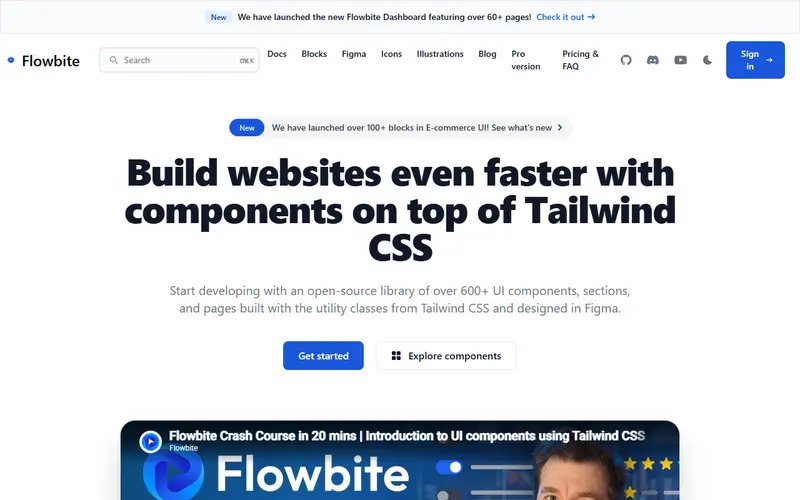
Flowbite fills the gap Tailwind CSS leaves open: Tailwind has utilities but no base set of components. Flowbite supplies them (buttons, navbars, modals, dropdowns, datepickers and more across 56+ types) as Tailwind markup, and a vanilla JavaScript file with TypeScript support wires up the interactive ones. You install it from npm, import a theme file (default, minimal, enterprise, playful or mono) and add @plugin "flowbite/plugin" with Tailwind v4, or load it from a CDN.
Because the JavaScript is framework-free, Flowbite works in server-rendered apps and static sites. Framework-specific libraries such as Flowbite React also exist, and Pro includes React templates built on Flowbite React.
Flowbite Pro is sold by Bergside Inc. as a lifetime licence: over 450 premium blocks, 60+ application page templates (dashboard, kanban, calendar, chat), 53+ marketing pages, premium icons and illustrations, and Figma files kept in step with the code. The Developer edition is $299 and the Designer edition $169; team licences cover up to 10 people.
Pricing and plans
Free tier · no card
The Flowbite component library, icons and free Figma file are open source.
At the limit Not stated The vendor does not say what happens at the limit, or we have not found it yet.
| Plan | Price | What you get |
|---|---|---|
| Flowbite | Free | Open-source components, icons and JavaScript |
| Pro Designer | $169 one time | Figma design files |
| Pro Developer | $299 one time | Coded blocks, application and marketing pages, React templates |
| Pro Designer Team | $499 one time | Up to 10 team members |
| Pro Developer Team | $999 one time | Up to 10 team members; larger teams by quote |
What it does
- Interactive components
- Modals, dropdowns, tooltips, carousels and datepickers powered by a vanilla JS API.
- Themes
- Default, minimal, enterprise, playful and mono theme files for Tailwind v4.
- Figma design system
- Figma files based on Tailwind classes, with Pro keeping design and code in parity.
- Flowbite Pro blocks
- 450+ marketing, application and e-commerce sections.
- Icons
- 430+ free SVG icons in solid and outline styles.
Strengths and limitations
Strengths
- Works without a front-end framework
- Includes interactive behaviour, not just classes
- One-time Pro price with lifetime updates
- Design and code kept in sync through Figma files
Limitations
- Requires Tailwind CSS
- Vanilla JS components are initialised by data attributes or the JS API, which needs care in SPA frameworks
- Team licences are capped at 10 members; more needs a quote
- Pro licence forbids building competing UI kits, themes or templates
Who it suits
Good for
- Server-rendered and static sites on Tailwind
- Agencies building marketing sites and dashboards
- Teams wanting Figma and code from one vendor
Look elsewhere if
- Apps needing headless primitives with deep accessibility control
- Projects not using Tailwind
Pricing history
-
Flowbite Pro team licences capped at 10 members
From 17 July 2025 a Flowbite Pro team licence is fixed at 10 members per company; before that, several team licences could be stacked. Larger teams need a quote. Source ↗
Alternatives to Flowbite
| Tool | From | Free option | Stages |
|---|---|---|---|
| shadcn-svelte Copy-in Svelte component collection and CLI | — | ||
| Ark UI Headless multi-framework components | — | Free tier | |
| Nuxt UI Styled Vue component library on Reka UI and Tailwind | — | ||
| Headless UI Unstyled accessible components for React and Vue | — | ||
| HeroUI Styled React component library (formerly NextUI) | — | Free tier | |
| Bits UI Headless accessible Svelte components | — |
Questions
How much is Flowbite Pro?
$299 for the Developer edition and $169 for the Designer edition, one time, excluding taxes; team licences are $999 and $499.
Does Flowbite work with Tailwind v4?
Yes. The quickstart installs it as a Tailwind v4 plugin with theme imports.
Does Flowbite need React?
No. It uses vanilla JavaScript; a separate Flowbite React library exists for React apps.
Sources read for this page